01 · Visitors
Visitors & behaviour
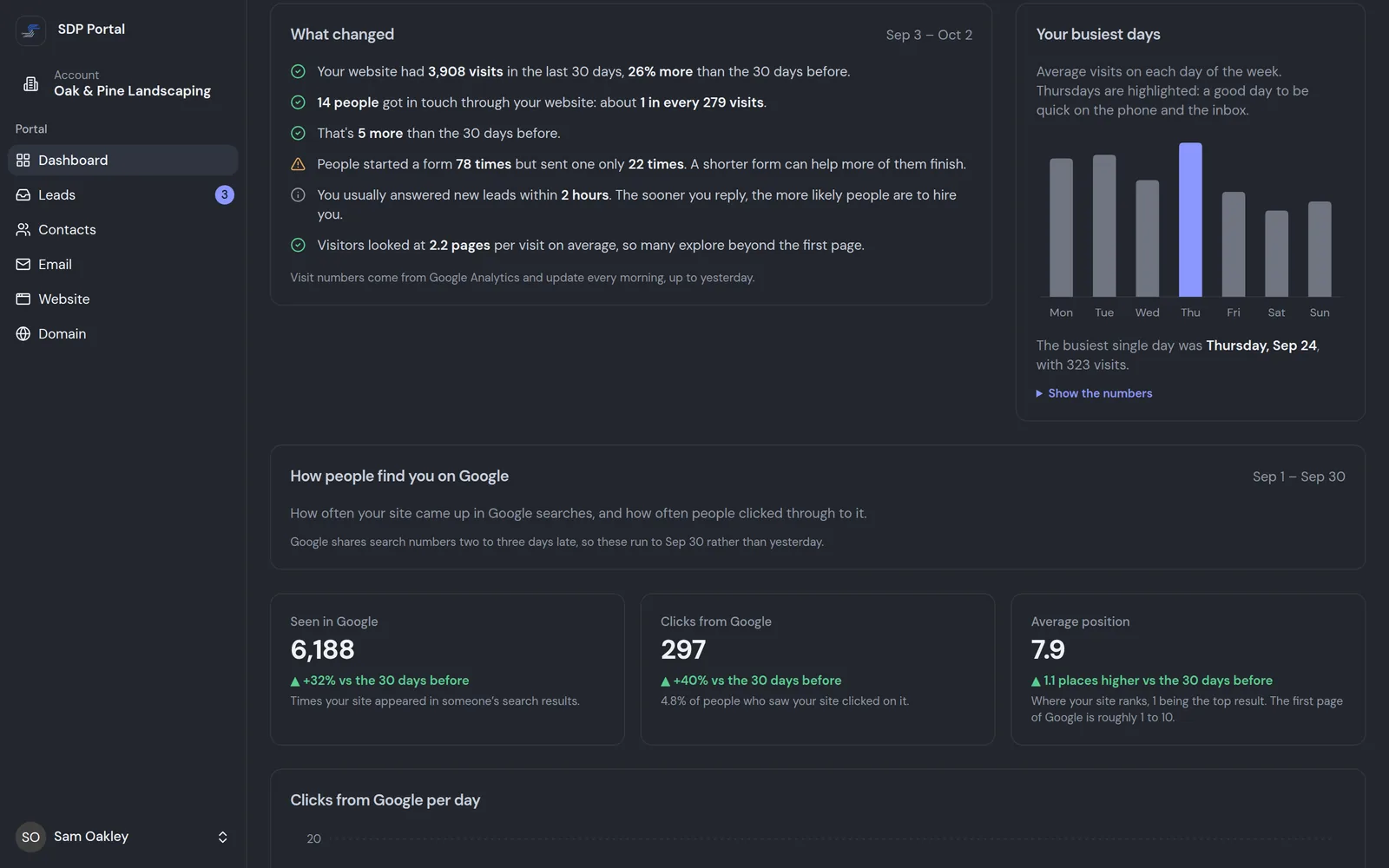
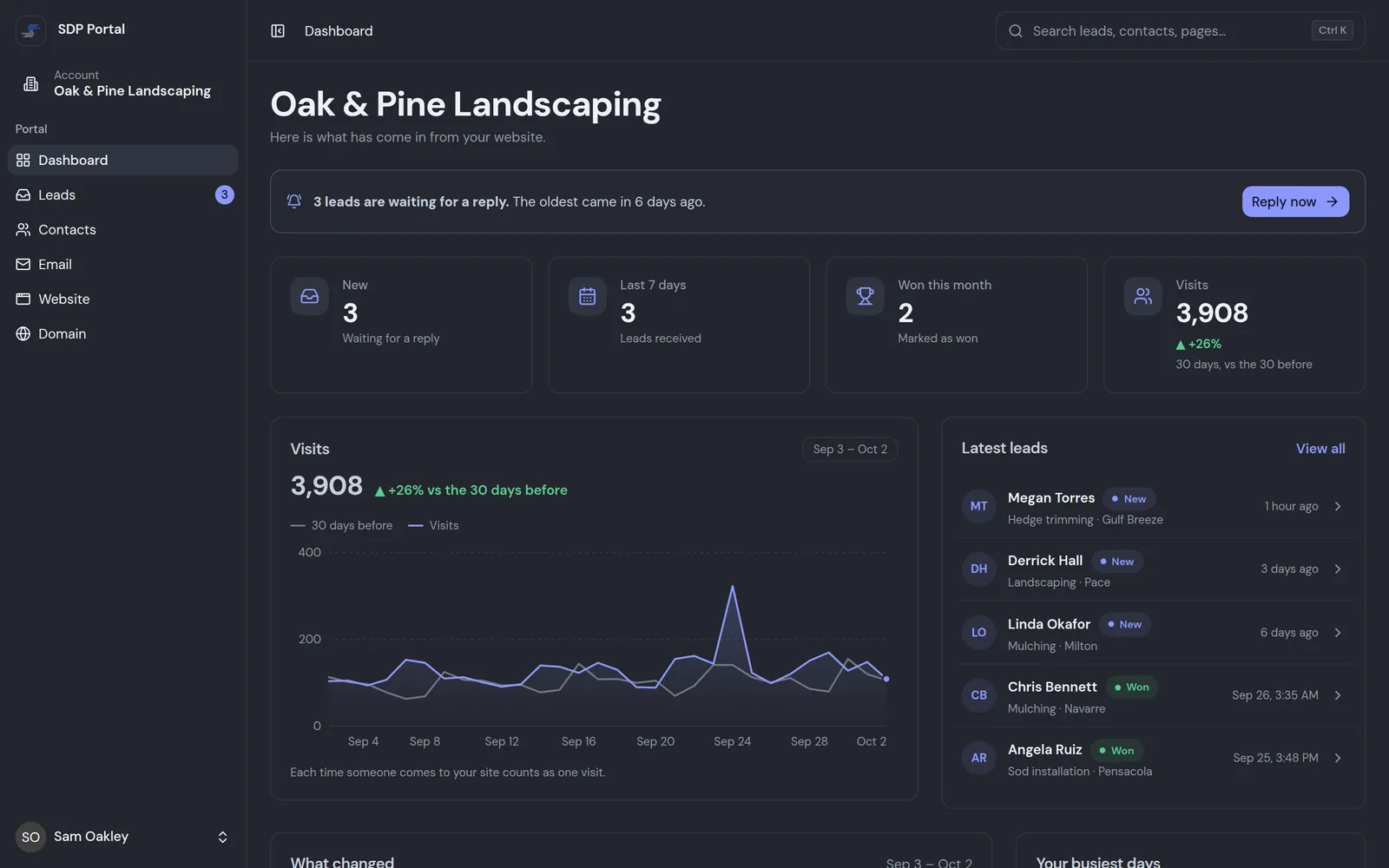
See how many people visit your site, what changed since last month, your busiest days, and how often you show up in Google.

Included with every managed site
See how many people visit and what they do, answer your leads, keep track of your customers and send change requests straight to us. It comes with every website we build and manage.
What's in it
No juggling analytics tools, inboxes, spreadsheets and email threads. It's all in the same place.
See how many people visit your site, what changed since last month, your busiest days, and how often you show up in Google.
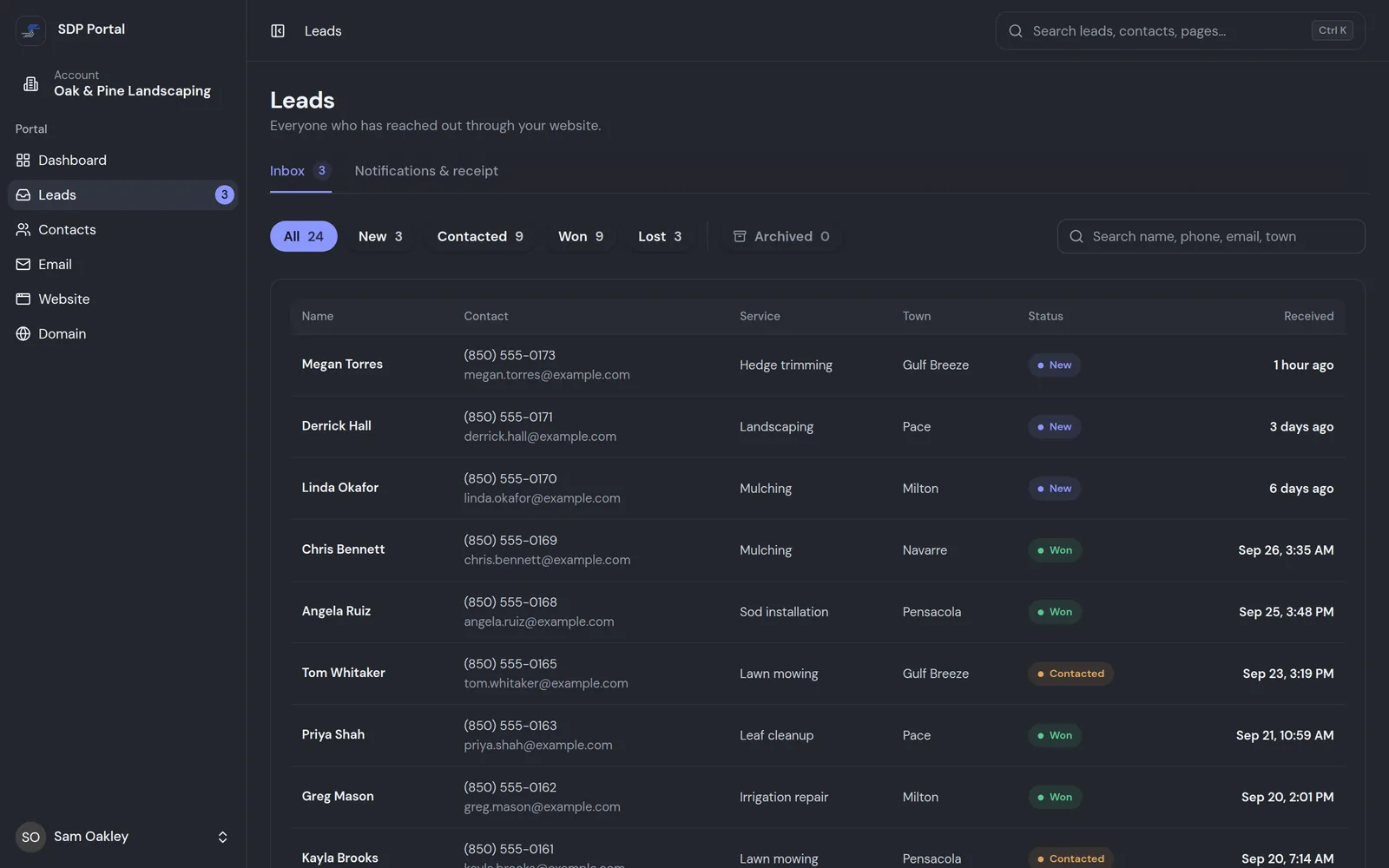
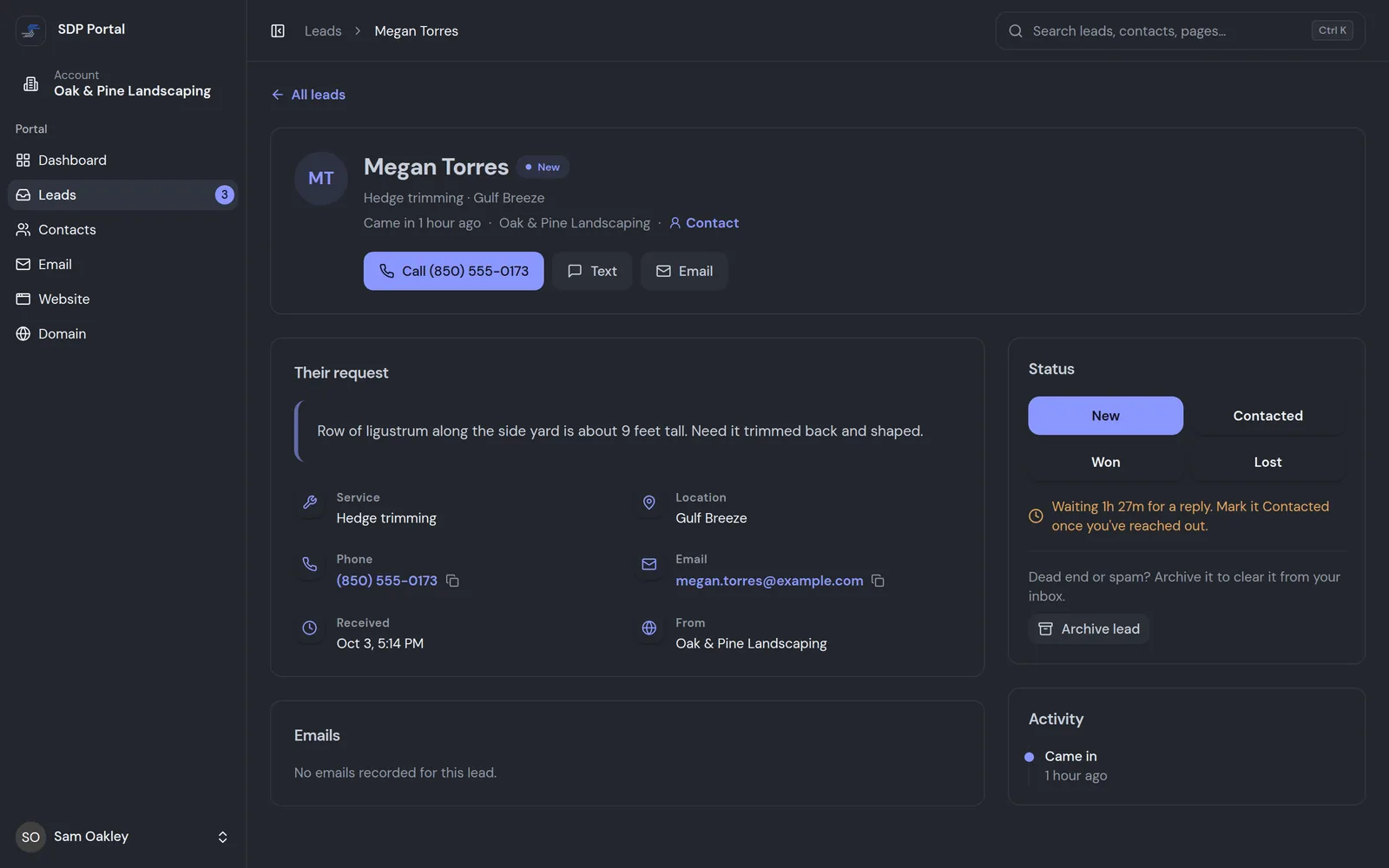
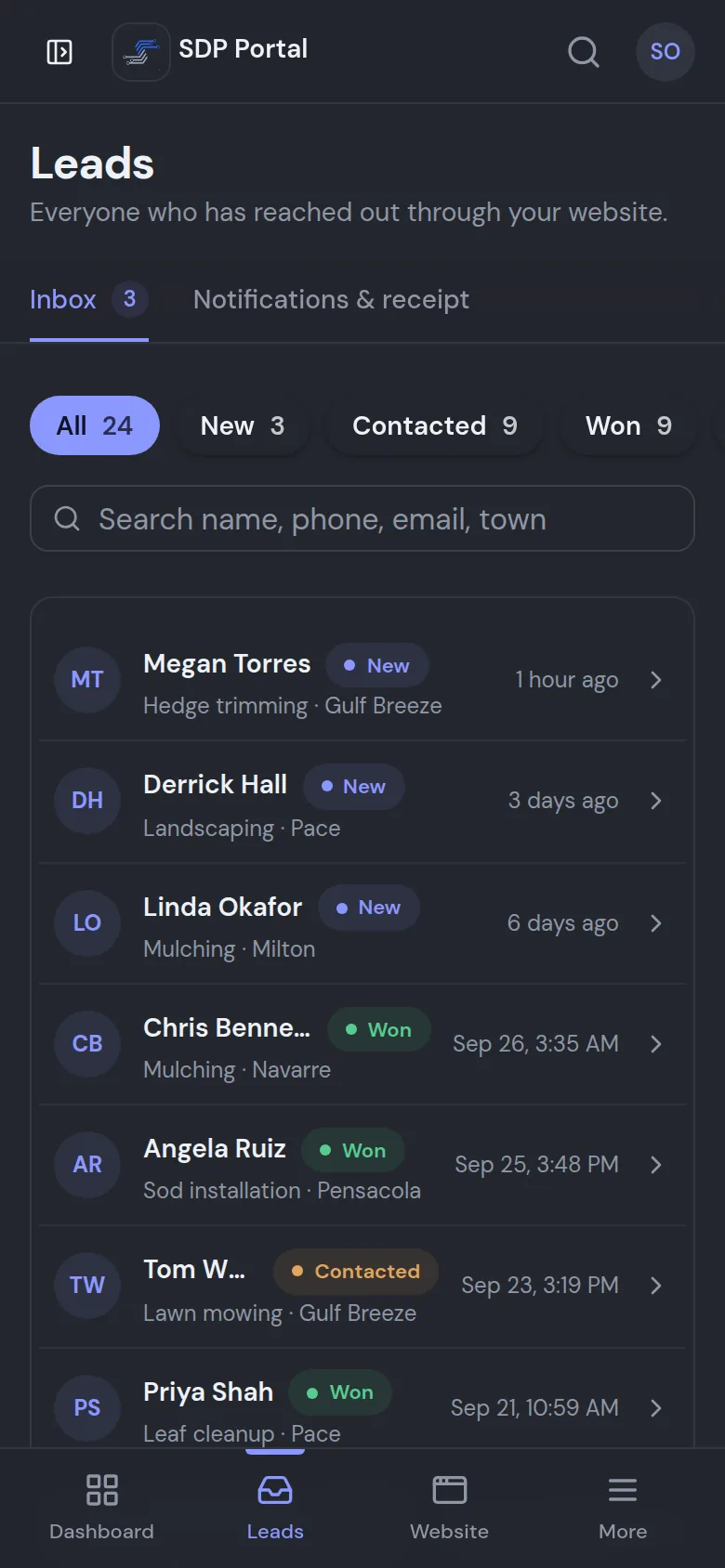
Each form submission shows here with exactly what the customer asked for, and arrives as a lead-delivery email from SDP. Mark each one Contacted, Won or Lost.
Calls and texts go straight to your own number.
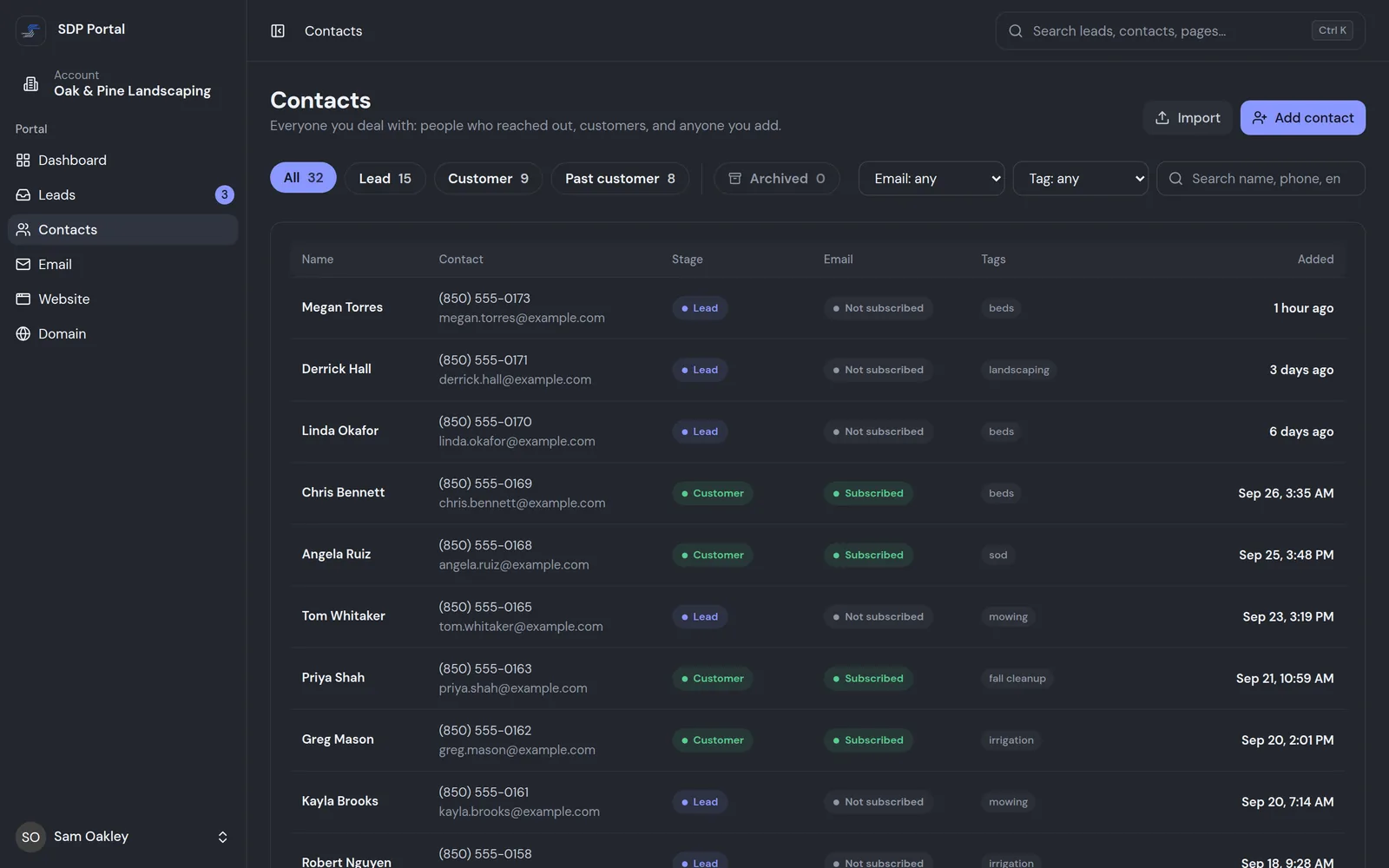
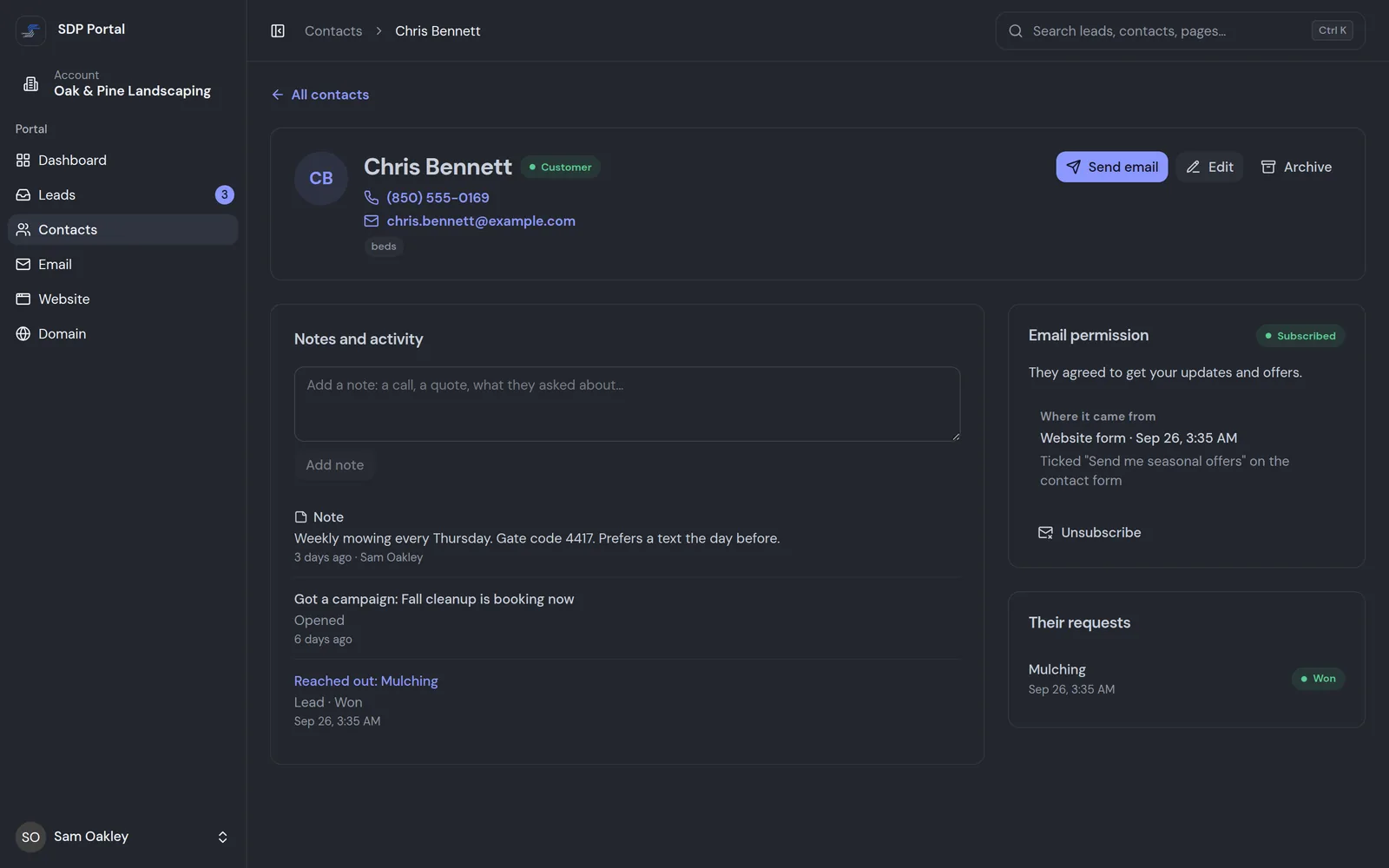
Everyone who reached out, plus customers you add or import, with notes, tags and whether they've agreed to get your emails.
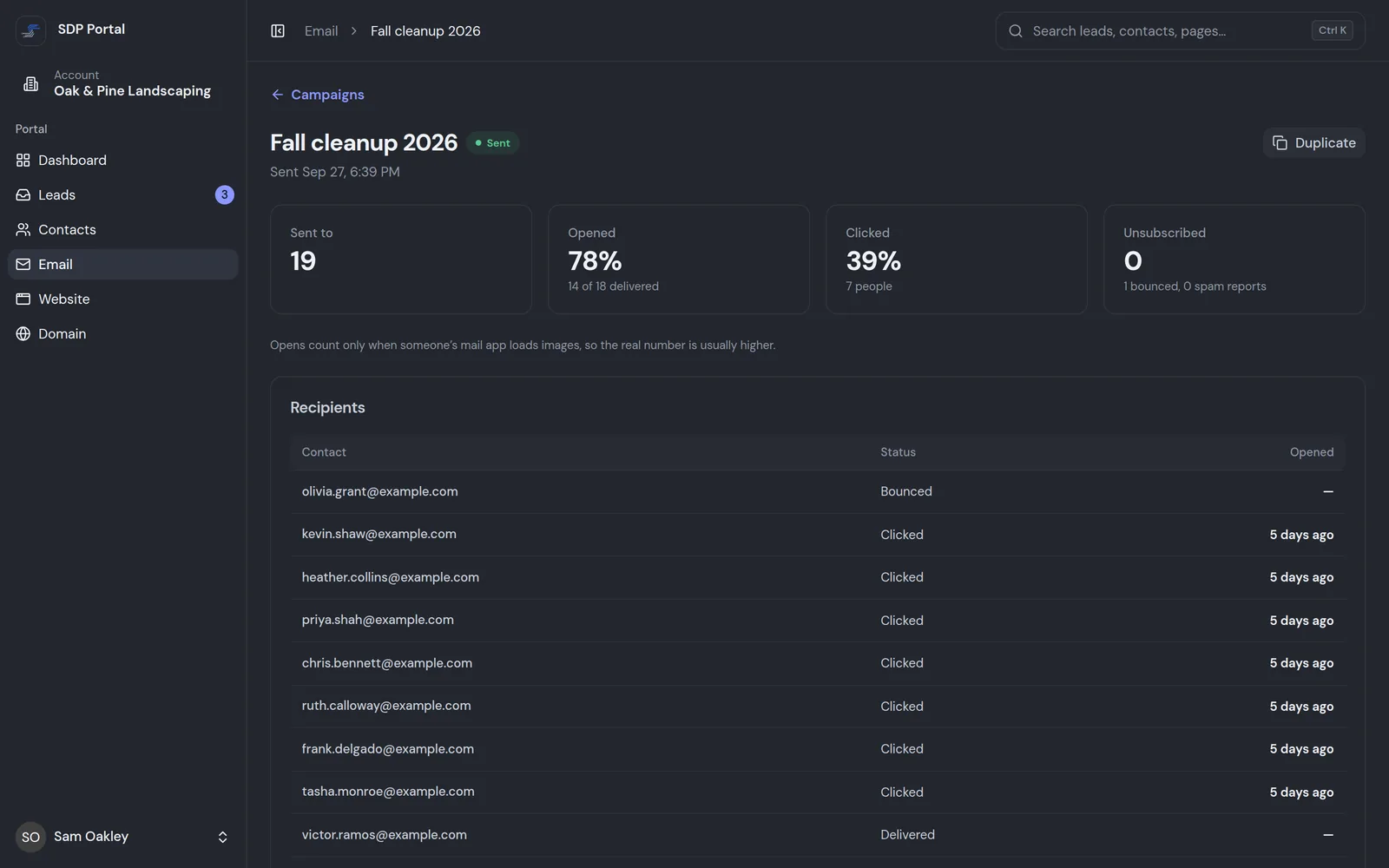
Send one email to your subscribed contacts, like holiday hours or a seasonal offer, and see who opened and clicked. Available as an add-on.
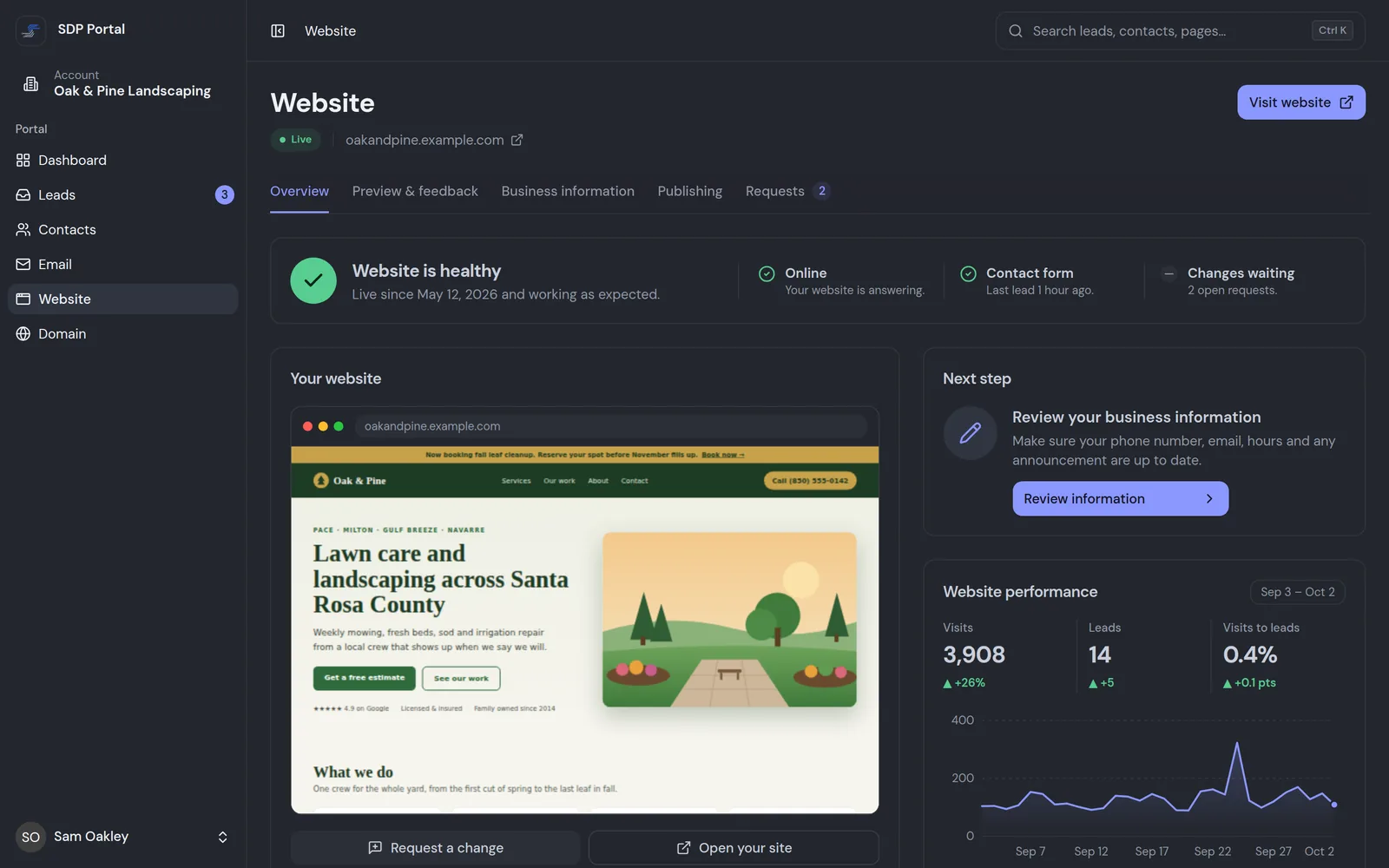
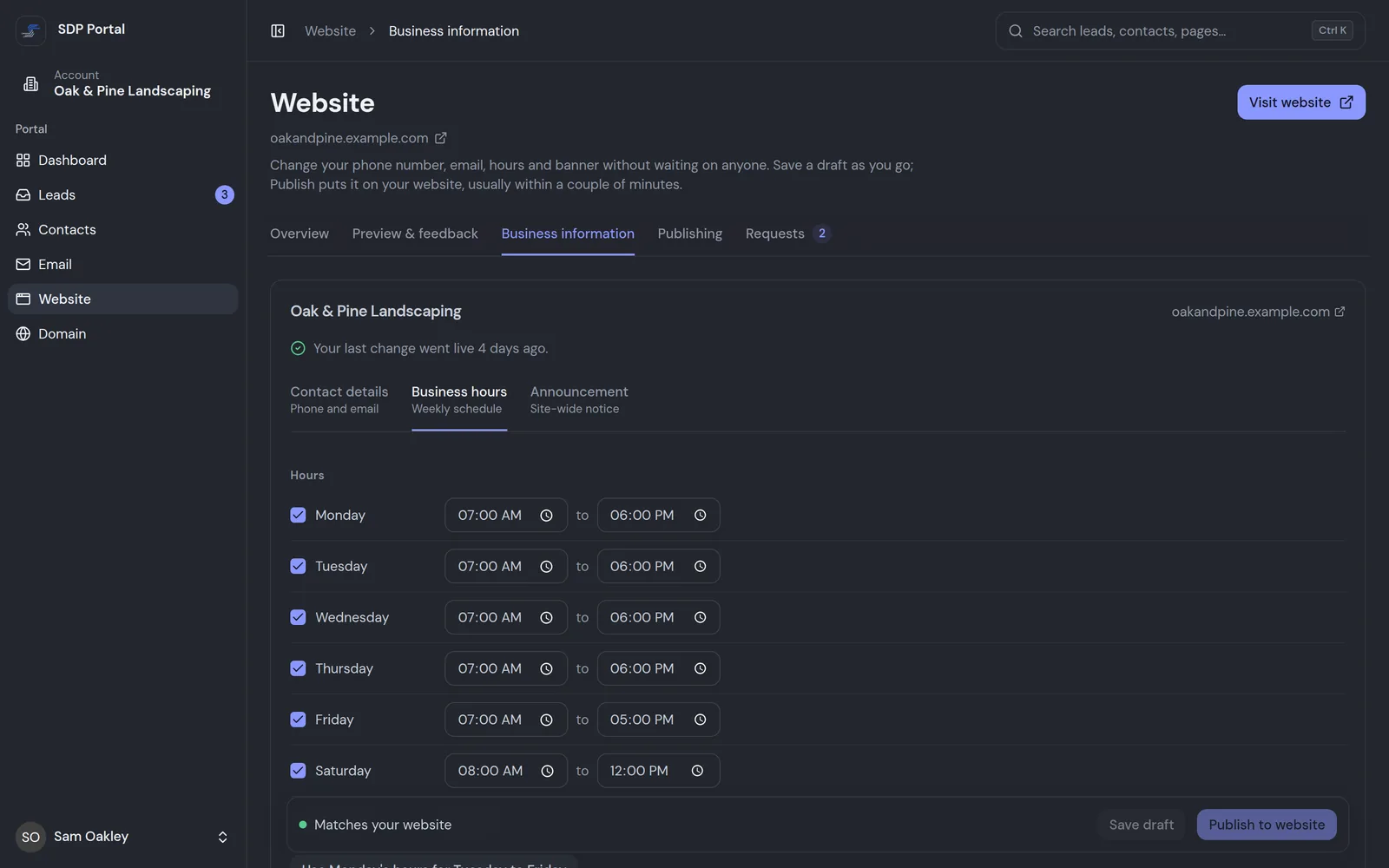
Check that your site is up and the contact form is working, update your phone, hours and banner yourself, and publish in minutes.
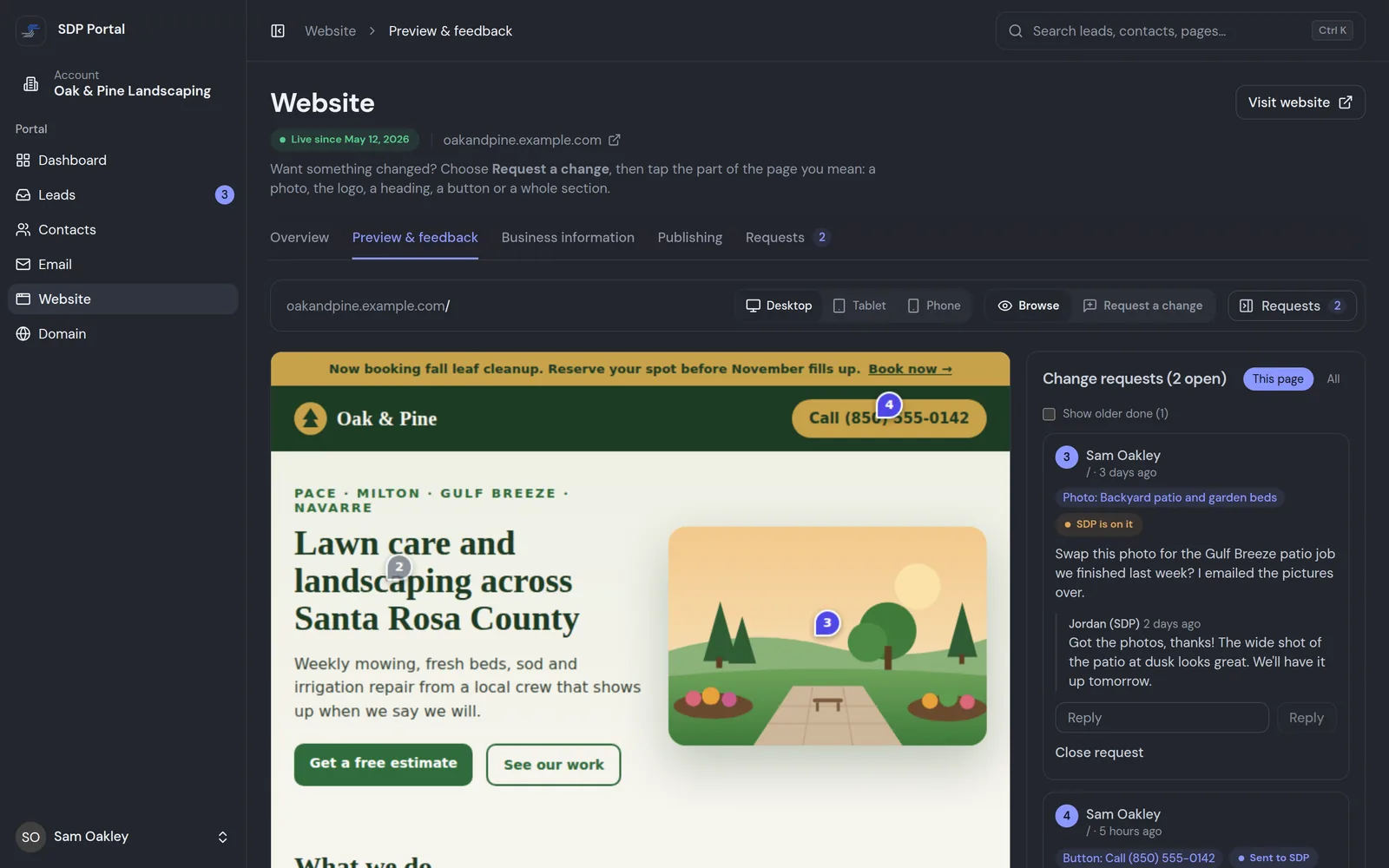
Your site opens inside the portal. Before launch, point at any part of the preview to comment; after launch, the same tool sends us change requests you can follow from open to done.
Included
The portal isn't a separate subscription. It comes with websites we build and manage, as part of hosting and management at $49/month. Builds start from $249.
Hosting & management$49/month
How it fits
From the first preview to day-to-day changes, the portal is where you and SDP work on your site. Most sites launch in 1–3 weeks.
Tell us about your business and what you need. You get a clear scope and a fixed price before work starts.
Before launch, open the preview in the portal, point at any part of a page and leave a comment on it.
We refine it with your comments, then the site goes live. Nothing goes live until you're happy.
Watch your visitors, answer leads and send change requests straight to us, month to month.
Curious how the sites themselves are kept safe? Read how we build secure, fast small business websites. Want more than a website? We also build custom portals and dashboards for your own customers.
Questions
Straight answers about what the portal does and how it fits with your site.
No. The portal comes with websites that Sims Digital Partners builds and manages. It's part of hosting and management at $49/month, not something sold on its own.
See how many people visit your site and what they do there, answer the leads that come in through your forms, keep a list of your contacts and customers, update your phone number, hours and banner, and send change requests straight to us. Email campaigns to your subscribed contacts are available as an add-on. Before launch, you can also review a preview of your new site and point at the parts you want changed.
Send the change from the portal and it comes straight to us, with the conversation kept in one thread. Small content changes are included in your monthly plan and usually made within a couple of business days. Bigger changes and new features are quoted up front.
Your new site opens inside the portal. Point at a headline, a photo or a button and leave a comment right there, so we know exactly what you mean. After launch, the same tool lets you point at the live site to request a change.
No. Your site only loads the review tool when it's opened inside the SDP portal itself. Ordinary visitors never load it, and only your site and the portal are allowed to frame your pages.
Yes. Every form submission arrives as a lead-delivery email from SDP, and it also shows in the portal with exactly what the customer asked for, so nothing gets lost in your inbox. Calls and texts go straight to whatever phone number you choose to put on your site.
Yes. They're the real portal, filled with demo data for a sample business: Oak & Pine Landscaping isn't a real client, and the names and numbers are made up. We improve the portal all the time, so your screens may look a little newer.
Just launched and wondering where the visitors are? Read why a new website isn't on Google yet.
Managed for you · No contracts
Tell us about your business. You'll get a clear scope and a fixed price, from $249, and the portal comes with it.
Start a project
Leave an email or a phone number and we’ll be in touch.
Message sent
Thanks for reaching out. We’ve got your message and we’ll be in touch soon.